
Workbench Shelf vs Support Rail vs Double Layer Structure: How to Choose the Right Storage Configuration
When outfitting a workshop workstation, buyers frequently ask: should I use a shelf, a support rail, or a double-layer structure under or above the workbench? The answer depends on three variables—what you store, how often you retrieve it, and how much floor space you can allocate. Each configuration solves a different operational problem, and mixing them incorrectly leads to wasted space, overloaded components, or inefficient workflows.
This guide explains the functional boundaries of each option using real workstation equipment parameters, helping manufacturing planners, maintenance supervisors, and procurement teams make configuration decisions before requesting custom quotes.
What Each Structure Actually Does
Workbench Shelf: Static Bulk Storage
A shelf is a flat, load-bearing surface mounted within or above the workbench frame. It is designed for items that do not need frequent repositioning—raw materials, measurement instruments, or batch components waiting for the next process step.
In typical composite desktop workbench configurations, shelves are integrated into floor cabinets or overhead frames. For example, a standard composite workbench with a thick green composite desktop and C-type steel legs supports a high overall load capacity. Shelves within such frames commonly handle substantial weight per tier, depending on span and bracket design.
Best for: Heavy, infrequently moved items such as calibration blocks, fixture plates, or bulk fastener bins.
Limitation: Items stored at the back of a deep shelf become difficult to reach without clearing the front, reducing retrieval speed in high-mix production.
Support Rail: Hanging and Sliding Tool Access
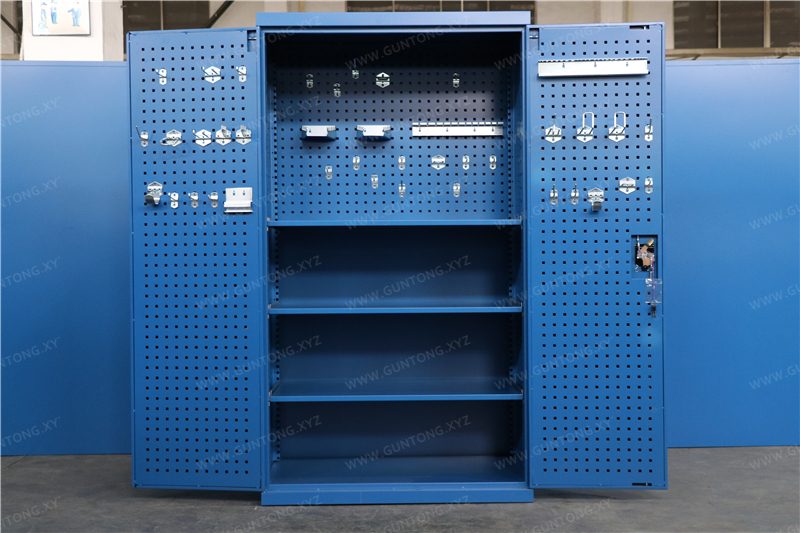
A support rail (also called a tool rail or hanging rail) is a horizontal bar mounted on the back panel or pegboard of a workbench. It accepts hooks, balancers, tool holders, and small bins. Unlike a shelf, a rail does not bear weight on a flat surface—it transfers load to the vertical frame through point contacts.
Support rails are common on workbenches equipped with pegboards or back panels. For instance, a single back panel workbench with a 4-drawer floor cabinet uses the vertical panel area for rail-mounted tool organization, keeping frequently used hand tools within arm's reach while preserving the desktop for active assembly or inspection work.
Best for: Hand tools, pneumatic guns, torque wrenches, and small parts bins that operators need to grab and return dozens of times per shift.
Limitation: Rails have lower total load capacity than shelves. Overloading a rail with heavy fixtures can deform the mounting points or pull the pegboard away from the frame.
Double-Layer Structure: Maximizing Vertical Footprint
A double-layer structure adds a second working or storage surface above the primary desktop. This is not simply a shelf—it is a full secondary plane, creating two distinct operational zones.
In standard configurations, the upper layer height is designed to allow seated operators to reach the upper surface without standing. This upper layer can serve as a parts staging area, a monitor and document shelf, or a light assembly zone, effectively doubling the usable workstation area without expanding the floor footprint.
Best for: Electronics assembly, inspection stations, and testing labs where operators need simultaneous access to components, documentation, and test equipment.
Limitation: The upper layer adds weight and raises the center of gravity. It requires a sturdier frame and may interfere with overhead lighting or crane access in certain workshop layouts.
Decision Matrix: Which Configuration Fits Your Scenario
| Factor | Shelf | Support Rail | Double-Layer Structure |
|---|---|---|---|
| Primary use | Bulk or heavy storage | Frequent-access hand tools | Dual-zone workflow |
| Typical load per unit | High (per tier) | Light to medium (distributed) | Medium to high (full surface) |
| Retrieval frequency | Low to medium | High | Medium to high |
| Floor space impact | Minimal (within frame) | Minimal (vertical) | None (uses vertical air space) |
| Common industries | Automotive parts, mold factories | Electronics assembly, maintenance | Testing labs, vocational training |
Practical Boundaries Buyers Should Know
Load stacking is not additive. A workbench rated for a high total capacity does not mean you can load that entire weight on the shelf alone. The rating includes the desktop, drawers, shelves, and any mounted accessories combined. Always confirm the per-component load limit with the manufacturer.
Drawer and shelf combinations affect balance. A configuration like a composite desktop workbench with horizontal three-drawer layout (each drawer rated for substantial load, with high-percentage extension on single-rail slides) shifts the center of gravity forward when fully loaded. Adding a heavy upper shelf without counterbalancing can cause tipping risk on uneven floors.
Pegboard and rail compatibility matters. Not all pegboards accept the same hook spacing. Standard square-hole pegboards (commonly used on tool carts and workbenches) use specific hole patterns. Confirm that your existing tool hooks match the pegboard specification before ordering.
Double-layer height is not arbitrary. The upper layer height is typically standardized to allow seated operators to reach the upper surface without standing. Taller upper layers require standing operation and may conflict with overhead conveyor or lighting systems.
How Guang'ErMei Configures These Options
Guang'ErMei Precision Components designs workbenches that integrate shelves, rails, and double-layer structures based on on-site workstation planning. Standard configurations include:
- Composite desktop workbenches
- with optional shelf, drawer, or pegboard modules.
- Single back panel and double pegboard models
- that combine rail-mounted tool access with enclosed drawer storage.
- Double-layer structures
- with upper surfaces for electronics and inspection applications.
All configurations use C-type cold-rolled steel frames and support non-standard customization for load requirements, desktop materials (including raw steel plate composite tops), and 6S management adaptation.
Next Steps for Workshop Planners
- Audit your tool and material list. Categorize items by weight, retrieval frequency, and size. Heavy and infrequent items go on shelves; light and frequent items go on rails; dual-zone workflows justify double-layer structures.
- Measure your floor and vertical clearance. Confirm that a double-layer structure will not interfere with overhead equipment.
- Request a configuration drawing. Share your audit results with the workstation equipment supplier to receive a layout that specifies per-component load ratings and exact dimensions.
For detailed specifications on drawer load ratings, pegboard hole patterns, or custom frame dimensions, contact Guang'ErMei's engineering team with your workshop layout and tool list. On-site workstation planning and load-bearing design support are available for manufacturing facilities across Guangdong and nationwide.