
Planning Composite Workbench Dimensions for Assembly Lines: Configuration and Trade-Off Guide
Planning Composite Workbench Dimensions for Assembly Lines: Configuration and Trade-Off Guide
When outfitting an assembly line, facility planners face a critical question: How do you determine the optimal dimensions and composite materials for a workbench without over-engineering the budget or under-specifying the operational needs?
Selecting the right workstation is not just about picking a table; it is about balancing floor space constraints, ergonomic requirements, and specific assembly tasks. This guide breaks down the configuration options, dimensional standards, and decision trade-offs involved in planning composite workbenches for manufacturing and assembly environments.
1. Dimensional Planning: Standard vs. Custom Constraints
The footprint of your workbench directly impacts assembly line throughput and operator mobility. The first decision trade-off lies between standardized dimensions and custom sizing.
Standard Dimensions for Cost and Lead-Time Efficiency
For most general assembly and electronics manufacturing lines, utilizing standard dimensions significantly reduces initial investment and accelerates project delivery. Common industry-standard dimensions include:
- 1500 × 750 × 800 mm: Ideal for single-operator stations with moderate tool requirements.
- 1800 × 750 × 750/800 mm: Suitable for dual-operator setups or tasks requiring a wider component layout.
- 2100 × 750 × 800 mm: Designed for complex assembly tasks requiring extensive surface area and multiple sub-assemblies.
Trade-off: Standard sizes offer high cost-efficiency and faster deployment. However, if your facility has strict spatial limitations or unique automated conveyor integrations, custom dimensions become necessary, which may increase manufacturing lead times and unit costs.
2. Composite Desktop Selection and Load Capacity Trade-Offs
The term "composite workbench" refers to the layered construction of the desktop, which dictates its durability, load capacity, and suitability for specific environments (e.g., ESD-sensitive electronics vs. heavy hardware assembly).
Heavy-Duty Composite Structures
For automotive parts or hardware mold assembly, the desktop must withstand severe impact and heavy loads. A robust configuration utilizes a 5mm raw steel plate combined with a 45mm high-density fiberboard core.
- Capacity: Supports up to 1000 kg.
- Application: Heavy machinery assembly, fitter workbenches, and impact-heavy maintenance tasks.
- Trade-off: Higher material cost and heavier overall unit weight, but drastically extends the service life in high-impact environments.
Light-to-Medium Duty and ESD Configurations
For electronics and electrical appliance assembly lines, extreme load capacity is often unnecessary, but electrostatic discharge (ESD) protection is mandatory.
- Structure: Standard composite wood or steel surfaces topped with a grounded anti-static mat. Frames typically utilize 40×40×1.2mm square steel tubes.
- Capacity: Categorized as light-duty (up to 300 kg) or medium-duty.
- Trade-off: Lower structural cost and easier mobility, but strictly limited to lighter component assembly. The anti-static mat requires proper grounding infrastructure (e.g., connecting to the earth via designated points) to be effective.
3. Vertical Space and Modular Configuration
A flat composite desktop is rarely sufficient for a modern assembly line. The decision to integrate vertical and under-desk storage directly affects the overall height and budget.
Overhead and Back Panel Configurations
Adding a back panel or overhead structure transforms a basic table into a comprehensive workstation.
- Standard Additions: Square-hole pegboards for tool hanging, LED light panels for visual inspection, and power boards with pre-drilled holes for easy socket installation.
- Height Impact: Adding a standard back panel and pegboard typically increases the overall height by 500mm (e.g., from 800mm to 1300mm). Planners must ensure this does not interfere with overhead facility infrastructure like ventilation or crane systems.
Under-Desk Storage
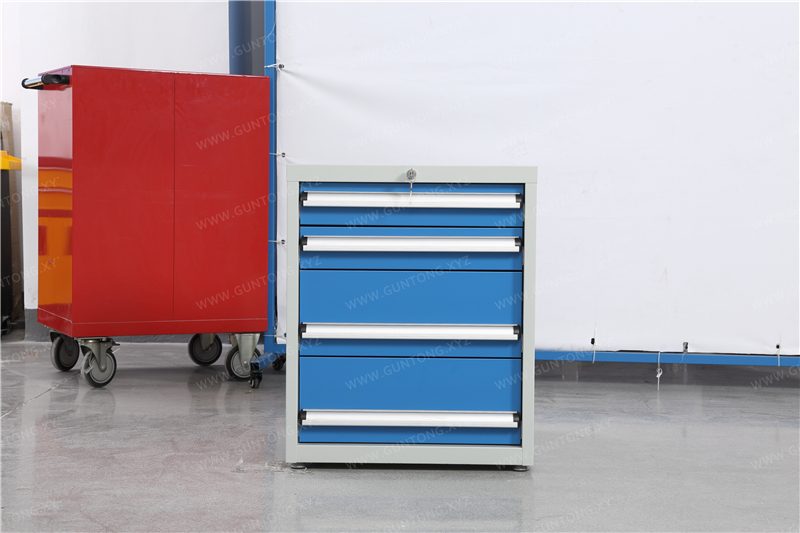
Integrating drawers and cabinets (e.g., a single door with a 4-drawer tiered design) keeps tools organized and supports 6S management principles.
- Trade-off: Adding heavy-duty drawers (e.g., 80 kg capacity per drawer) increases the workstation's footprint and cost, but significantly reduces operator movement waste by keeping essential tools within the immediate work envelope.
4. Budget and Decision Trade-Offs Summary
When finalizing your assembly line workbench specifications, consider the following budget allocation strategies:
- Material Thickness: Upgrading the main body material from 1.0mm to 1.2mm cold-rolled steel increases rigidity and longevity but raises the base material cost.
- Modularity vs. Fixed Welding: Knock-down (bolted) structures offer flexibility for future line reconfigurations and reduce shipping volume, whereas fully welded frames provide maximum structural integrity for heavy-duty applications.
- Accessory Integration: Budgeting for integrated power modules, pneumatic tool balancers, and specialized hanging cabinets upfront is more cost-effective than retrofitting them post-installation.
Next Steps for Facility Planners
Planning composite workbench dimensions requires a clear understanding of your specific assembly tasks, load requirements, and facility constraints. Standardized products offer a reliable baseline, but non-standard customization ensures your assembly line operates at peak ergonomic and spatial efficiency.
Guang'ErMei Precision Components provides comprehensive workstation planning, combining standardized manufacturing with non-standard customization to meet your exact assembly line requirements.